NinjaTrader Playback Not Working? Every Documented Cause
NinjaTrader playback not working? Every cause their help guide documents is a data precondition. What to check, and where replay data actually comes from.
NinjaTrader's Playback connection will not start until the replay data for that instrument and that date is already sitting on your machine. Every cause NinjaTrader documents is a version of that one problem.
Three to check first:
- You have no Market Replay data for the instrument or the date you picked.
- The recorder is still switched on, which blocks the download.
- You are still connected to Playback, which also blocks the download.
Every NinjaTrader cause here comes from their own help guide for NinjaTrader 8.
Does NinjaTrader have a replay or playback mode?
Yes. NinjaTrader 8 has a Playback connection that replays recorded data through every platform window, not just the chart. Their help guide opens with the condition attached: "Once market replay data or historical tick data is available by either recording or downloading (See the "Set Up" page of the Help Guide), it can be replayed in all NinjaTrader windows."
Is NinjaTrader's Market Replay free?
Some of it is, and NinjaTrader does not say which instruments. Their Set Up page says "NinjaTrader offers a limited amount of Market Replay data free to download for playback purposes. Only the most common instruments are currently available." Their European home page says "NinjaTrader is always free to use for advanced charting, backtesting and trade simulation."
Neither page names the instruments in the free set, and neither gives a date range. That is missing information rather than a short list.
NinjaTrader's European page prices per-trade commissions rather than the platform itself, so there is no platform licence price on it to set against ours. TradaMaker's walkthrough, from November 2023, goes further than NinjaTrader does: it says "Market replay is a free feature on NinjaTrader 8", then adds that moving to live trading means upgrading to either the lease or the lifetime licence. NinjaTrader's own sentence covers charting, backtesting and simulation rather than live trading, so the two do not conflict.
How do you turn on NinjaTrader playback, step by step?
Data first, connection second.
- Decide where the data comes from: record it live yourself, or download from NinjaTrader's free set.
- To download, turn the recorder off first. "Enable market recording for playback must be disabled from the Market Data category of the Options menu before downloading replay data."
- Disconnect from Playback if you are already on it. "Downloading Market Replay data is NOT available when connected to the Playback connection. You must disconnect from Playback connection prior to downloading."
- Open the Historical Data window from the Control Center, under Tools, then Historical Data. On NinjaTrader's page: "Here the section "Get Market Replay data" can be expanded."
- Pick the instrument and the date, press OK, then leave the window alone. "Closing the Historical Data Window will cancel the download."
- Connect through the Connections menu, then Playback Connection. The Playback control appears.
The control itself: "The Playback control is set up much like a DVD player." Playback Type is either Market Replay or Historical, Start and End set the two ends of the slider, and each click of the speed control raises the speed, where "Playback of "Max" will process data at fastest possible speed". Right-clicking the control gives two items. Show Available Data opens the Historical Data window and lists the instruments you actually hold, with level 1 and level 2 begin and end dates and times. Go To jumps to a date and time you name.
Show Available Data answers "why is nothing playing" directly. It tells you what is on your machine before you go hunting for a setting.
Where the third-party walkthroughs disagree with NinjaTrader, follow NinjaTrader. Their guide gives the menu path as Connections, then Playback Connection, while grizzlyparrottrading gives it as New, then Playback. On the download screen NinjaTrader names a section called "Get Market Replay data", TradaMaker puts a Load tab beneath it, and grizzlyparrottrading calls it a "Load Replay Data tab". On speed, NinjaTrader's guide gives no numbers at all, only Max, while grizzlyparrottrading prints 1x to 500x and TradaMaker says up to 1,000 times. No vendor number settles that one.
Why is my NinjaTrader playback not working?
Every documented cause is a data precondition, in NinjaTrader's own words:
| What you see | What NinjaTrader's help guide says |
|---|---|
| Nothing plays, or the chart has no data | "Market Replay data holds the exact sequence level I and Level II (market depth) data and must be recorded or downloaded by NinjaTrader" |
| Go To will not jump to the time you picked | "There must be recorded data available for the selected time" |
| Your instrument is not there to download | "NinjaTrader offers a limited amount of Market Replay data free to download for playback purposes. Only the most common instruments are currently available" |
| The download refuses to start | "Enable market recording for playback must be disabled from the Market Data category of the Options menu before downloading replay data" |
| The download refuses to start while you are in playback | "Downloading Market Replay data is NOT available when connected to the Playback connection. You must disconnect from Playback connection prior to downloading" |
| The download stops partway | "Closing the Historical Data Window will cancel the download" |
| The session you recorded has no market depth | "Level II (market depth) data is only recorded if a Level II, SuperDOM, or FX Pro window is open and receiving data for the instrument" |
| Your orders never expire at the end of a session | "TimeInForce logic such as order expiration / cancellation at the end of a session, is not supported for the Sim101 or Playback101 accounts" |
| Commissions or risk settings are not the ones you set | "The Playback101 account properties (e.g., Commissions, Risk, etc.) are created from the Sim101 account when connecting to the Playback Connection and cannot be reset while connected" |
| Your trade history disappeared | "When disconnecting, the Playback account's trade history will be reset", and on the slider, "sliding during playback will reset the Replay101 account trade history" |
A replay that looks frozen, choppy or stepped rather than empty is usually the one-second screen refresh rather than missing data, which NinjaTrader also documents.
Clearing a cache, deleting log files, repairing an installation and reinstalling appear nowhere in NinjaTrader's Playback or Set Up documentation.
A 90-day limit on how far back Market Replay data goes gets attributed to NinjaTrader. Their own pages state no such limit, so there is no number here to print.
Where does replay data come from?
Two places, and you supply both. You record live data yourself, or you download from NinjaTrader's limited free set.
To record: Tools, then Options, then the Market Data category, and enable "Enable market recording for playback". After that, "All live data from instruments that are active in any NinjaTrader window will now be recorded for playback." NinjaTrader recommends one window for the job: "The Market Analyzer window is the recommended recording window as multiple instruments can be added to one Market Analyzer window and all recorded at the same time."
Market depth is the catch. Level II is recorded only while "a Level II, SuperDOM, or FX Pro window is open and receiving data for the instrument", so a session you recorded with only a chart open will replay without depth.
On NinjaTrader you build the library one instrument and one date at a time before you can practise on it, and you can only practise on the days you thought to collect.
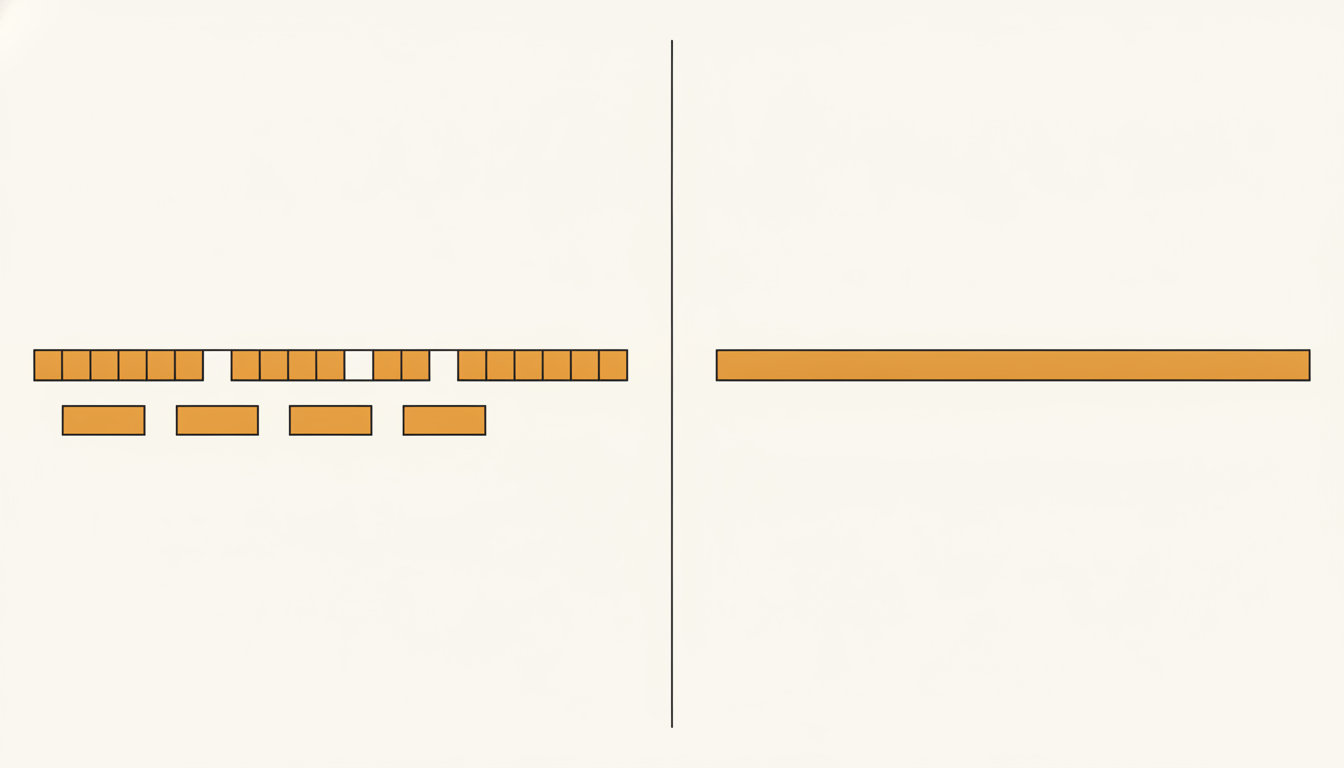
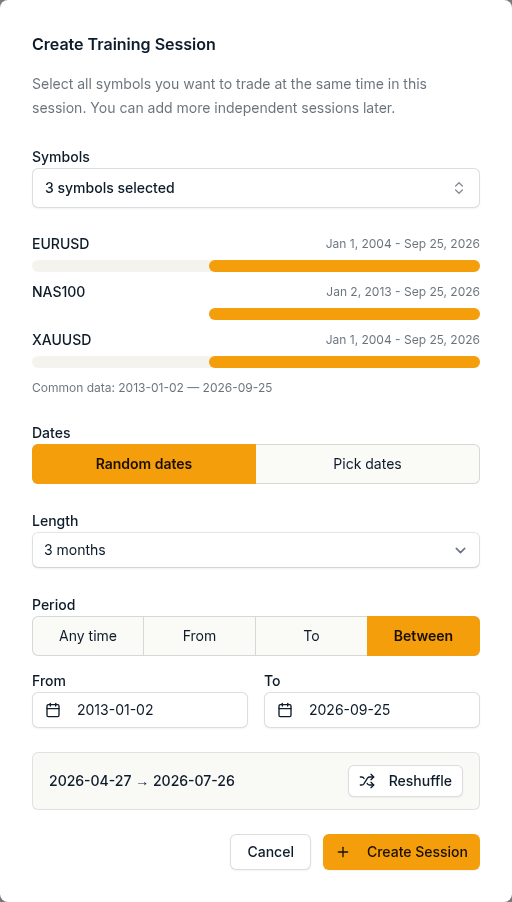
On ChartLabs the history is loaded per symbol already, and cleaned before it gets there: sourced from Dukascopy, tick level where it is available, cleaned to remove anomalies, and built into 1-minute candles, reaching up to around 22 years on the oldest forex pairs, with other instruments starting later. You pick a period rather than fetch one. Sessions take a random range by length and period, or a range you choose by hand, and analytics can be split by Training and Verification sessions, so you can see how you do on data you have not traded before.
What is the difference between Market Replay data and Historical data?
Market Replay carries market depth and historical tick data does not. NinjaTrader: "Market Replay data is the most accurate and holds both level I and level II (market depth) data. If you do not have market replay data for a time frame, you can choose to playback historical tick data. However using historical tick is less accurate as there is no level II data."
Their Set Up page adds the part that decides how good the fallback is: "The granularity and accuracy of historical mode will be dependent on your data provider."
A third choice sits in how the replay loads, and it changes which of the two you are actually watching:
- Playback Current Day: "Only the current day will be played back from Market Replay when dragging the slider between multiple days, for past days historical data would be loaded."
- Playback from selected: "All historical data is loaded from historical data and Market Replay data is only used going forward. This is the fastest and default mode."
- Playback from start: "Market Replay data is played back for every day between the start point of the slider and the end point of the slider."
If you assumed you were replaying recorded depth across several days, the default mode is not doing that.
How good is the data in playback?
NinjaTrader publishes four limits on its own page.
Level I and level II stay in step: "NinjaTrader stores level I and level II together in a single market replay file to ensure that level I and level II events are perfectly in sync per instrument."
Timestamps are only as fine as the provider's: "Market replay files have the ability to record time stamps down the 100 nanosecond level. However please note that we use the time stamp provided by the market data providers when storing data. This means that you are limited to the granularity of the provider if the time stamp is natively provided."
In historical mode the bid and ask can be invented: "If your historical data provider does not support ask/bid stamped tick data then NinjaTrader will simulate the ask and bid price by setting it either to last price or last price +/- 1 tick at random."
Bid and ask volume is a constant rather than a measurement: "Ask and Bid Volume during playback with Market Replay or historical data will be simulated and set to "1" except for Equities and Forex, where "100" is used for Equities and "100,000" for Forex."
And the screen updates once a second, which is the likely answer to a replay that looks stalled or stepped rather than empty: "the NinjaTrader user interface only visually updates in 1-second intervals for performance optimizations. Even though the NinjaTrader UI's are only visually updating at 1-second intervals, orders, indicators, and strategies will calculate just as they were running in real-time."
Those last two are worth knowing before you read a fill or a volume figure in historical mode. On our charts, the legend shows the bar's volume, and a Volume indicator can be added from the Indicators menu if you want it in its own pane under price. Why the data decides the test is on our page about backtesting accuracy.
Can you place orders in playback?
Yes, into a dedicated Playback101 account, and they fill differently from the ordinary simulation account. NinjaTrader: "When submitting orders to the Playback101 account, these orders are processed immediately and synchronously. This enables reproducible results for strategy developers that run a strategy on the playback connection. Playback101 and Sim101 work differently when executing, since simulated internet latency delay simulation is not present in playback."
No simulated latency means fills that are cleaner than a live account would give you.
grizzlyparrottrading spells out order behaviour for a person rather than a script, in two lines: "Market orders hit the current bid/ask." and "Limit and stop orders work normally." NinjaTrader's own guide does not state it in those terms.
What can NinjaTrader playback not do?
Their own stated limits, in their words:
- No market depth in historical mode, because "there is no level II data".
- No market depth in a session you recorded without a Level II, SuperDOM or FX Pro window open.
- No TimeInForce logic on Sim101 or Playback101, so orders do not expire or cancel at a session end.
- No changing the Playback101 account's commissions or risk while connected. They are copied from Sim101 on connect and "cannot be reset while connected".
- No downloading replay data while you are connected to Playback.
- No keeping your trade history through a disconnect, or through a drag of the slider.
NinjaTrader also suggests keeping playback away from your live setup: "It is recommended to close and save your live workspaces then use dedicated workspaces for Playback before connecting to Playback to ensure items, such as drawing objects, are not affected in your live workspaces."
Is NinjaTrader playback for futures traders only?
No, and the answer has two halves.
The platform handles more than futures. NinjaTrader's Playback page names the volumes it simulates "except for Equities and Forex", and their Set Up page names the FX Pro window as one of the three windows that record market depth. TradaMaker names futures, forex and cryptocurrency as the three main types of market data available.
The company sells futures. ninjatrader.com/eu/ has the heading "Trade on the #1 Rated Futures Platform", followed by an asterisk pointing at a readers' choice award note, and its navigation runs Futures, Intro to Futures, Futures vs Forex, Futures vs Stocks, Platforms, Pricing, Support. The contracts it puts in front of a European trader are FGBDL, FDAX, ES, NQ and GC, every one of them a futures contract.
Both halves are true at once, and which one matters depends on what you trade.
For our part: ChartLabs covers forex, indices, commodities including gold and oil, and crypto. Our index and commodity symbols are not futures contracts: the prices come from Dukascopy's market data rather than from an exchange. If futures data is what you need, we are not the tool.
Is replaying a chart the same thing as backtesting?
Not on NinjaTrader's own pages. Their Playback help page describes the slowest loading mode as "useful when you are back testing a strategy in playback", which is a NinjaScript strategy running in playback rather than a person clicking. Their European home page lists "advanced charting, backtesting and trade simulation" as three separate things the software is free for.
So the vendor treats a human replaying a session and a backtest as two different activities. Ours is the manual one, and the difference between them is on manual vs automated backtesting.
Which one fits you
| NinjaTrader Playback | ChartLabs | |
|---|---|---|
| What it replays | Market Replay files with level I and level II depth, or historical tick data with no depth | Cleaned 1-minute candles, stepped through by hand |
| Where the data comes from | You record it live, or download the free set: "Only the most common instruments are currently available" | Loaded per symbol already, up to around 22 years on the oldest forex pairs, other instruments starting later |
| Markets they put forward | Futures, including the five contracts their European page names for European traders: FGBDL, FDAX, ES, NQ and GC | Forex, indices, commodities including gold and oil, crypto, none of them futures contracts |
| How you get it | Software you download and run on your own machine | Web based |
| Who it fits | Traders who want recorded depth and order flow on one specific session | Traders who want to step through a long span of history by hand and review every trade with the markup they had at the time |
Start with the data you already have
If your instrument is in NinjaTrader's free set and you want market depth on a session you care about, their Playback connection does that, and the checklist above is every precondition they document.
If you want the manual half without building a data library one day at a time, that is what we do. Our beginner's guide walks through a manual test end to end: backtesting a trading strategy.
One plan, $20 a month or $200 a year, with a 7-day free trial and no credit card required to start: start the free trial.
Tags
Related
Manual vs Automated Backtesting: Which One Should You Use?
Automated backtesting tells you whether a set of rules made money. Manual backtesting tells you whether you can trade them. A practical comparison of what each one tests, what it costs you in time and skill, and which to reach for first.
Backtesting Accuracy: How Slippage and Data Quality Matter
Why backtest results and live results drift apart, and what actually closes the gap: clean tick data, honest spread assumptions, and commission and slippage modelled directly on every trade you log.
Backtesting a Trading Strategy: A Beginner's Guide
What backtesting is, why it matters, and how to run one step by step: defining your rules, choosing clean historical data, stepping through the chart trade by trade, logging results, and reading the metrics that tell you whether your strategy has a real edge.